Computer battery backup means a UPS between the wall and your PC, NAS or server, so a power cut does not crash the machine mid-save or corrupt a disk. For most computers the aim is a few clean minutes to finish and shut down, not hours of work. This page covers sizing a UPS for a computer, gaming rigs with big power supplies, automatic shutdown, extended runtime for network racks and keeping a small server room cool. Send one request and local IT dealers will quote you for free, with no obligation to accept.
Sizing a UPS for a computer
Start with what the machine actually draws, not the number printed on its power supply. An office desktop and screen often use modest power; a gaming PC under load can pull several hundred watts, and each screen adds more. If you can, measure with a plug-in power meter while the computer works hard.
Then pick a UPS whose watt rating is comfortably above that figure. A 650 VA unit suits a basic desktop and router. A gaming PC, a pair of screens or a workstation usually needs 1.2 to 1.5 kVA or more. Modern computer power supplies with active PFC prefer a UPS with pure sine output; some cheaper stepped-wave units cause them to switch off at the moment of changeover, which defeats the point.
Automatic shutdown software
A UPS only protects your data if the computer shuts down before the battery runs out. Connect the UPS USB cable and install the shutdown software, or use the built-in power settings that read a UPS like a laptop battery. Set it to save and shut down after a few minutes on battery, or at a set charge level.
A NAS box and most servers understand the same signal, and one UPS can tell several machines on the network to shut down through a network card, or through a NAS acting as the shutdown server. Test it once: pull the plug and watch everything close cleanly.
Servers, network racks and extended runtime
- Online UPS: the usual choice for a server, as there is no switchover and the output stays clean.
- Rack mount: 19 inch units on rails fit the bottom of the cabinet, where their weight belongs.
- Extended battery packs: extra battery cabinets stretch runtime from minutes to much longer for switches, firewalls and phones.
- Separate the loads: keep the network gear on its own UPS so wifi and VoIP phones stay up after the server has shut down.
In a small office, the router UPS and the server UPS are often separate boxes for this reason.
Server room cooling and battery life
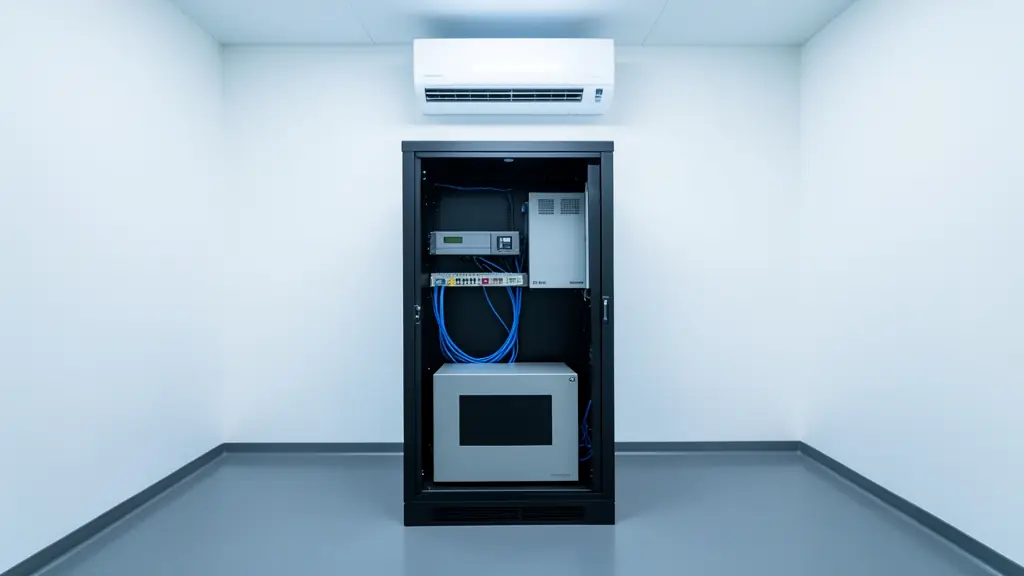
A server cupboard with no airflow cooks UPS batteries, and heat is the main reason sealed blocks wear out early. Leave space behind the rack and keep the aircon or extractor fan working. During an outage the aircon is usually off while the servers still run, so the room heats up quickly. For longer outages, plan a site backup instead: see business backup power. Replace UPS batteries as a matched set when the self test fails, from UPS replacement batteries.
What to include in your request
- Each computer, NAS or server and its rough watts
- Minutes of runtime wanted after a cut
- Tower or rack, and the rack depth
- Whether shutdown software must be set up
- Room temperature and airflow at the rack
UPS for Computers & Servers for different clients
- Homeowners: a pure sine UPS for the gaming PC, the home NAS and the study desktop
- Complexes, estates and body corporates: a UPS for the estate office PC, the access control server and camera recorder
- Offices and home offices: desk UPS units for each workstation and a rack UPS for the server and switches
- Shops, restaurants and salons: a UPS for the back office PC that runs stock control and the point of sale
- Farms and smallholdings: a UPS for the farm office computer that keeps records, payroll and the weighbridge
- Clinics, surgeries and care homes: UPS units for practice management PCs, the patient records server and the network rack
- Factories, warehouses, schools and churches: online rack UPS units for data rooms, SCADA computers and school computer labs
- Electricians, installers and security companies: IT resellers buying desktop UPS units, rack kits and shutdown cards for their clients
Frequently asked questions
What size UPS do I need for a gaming PC?
How long will a UPS run my computer?
What does a computer UPS cost?
Can you set up a UPS for our small office?
UPS for Computers & Servers by province and city
- Johannesburg
- Pretoria
- Centurion
- Midrand
- Sandton
- Randburg
- Roodepoort
- Krugersdorp
- Randfontein
- Germiston
- Boksburg
- Benoni
- Kempton Park
- Alberton
- Vanderbijlpark
- Vereeniging
- Durban
- Pinetown
- Pietermaritzburg
- Richards Bay
- Newcastle
- Ladysmith
- Gqeberha (Port Elizabeth)
- East London
- Kariega (Uitenhage)
- Mthatha
- Cape Town
- Bellville
- Paarl
- Stellenbosch
- George
- Worcester
- eMalahleni (Witbank)
- Middelburg
- Secunda
- Mbombela (Nelspruit)
- Rustenburg
- Brits
- Klerksdorp
- Potchefstroom
- Mahikeng
- Polokwane
- Tzaneen
- Kimberley
- Upington
- Bloemfontein
- Welkom
- Sasolburg