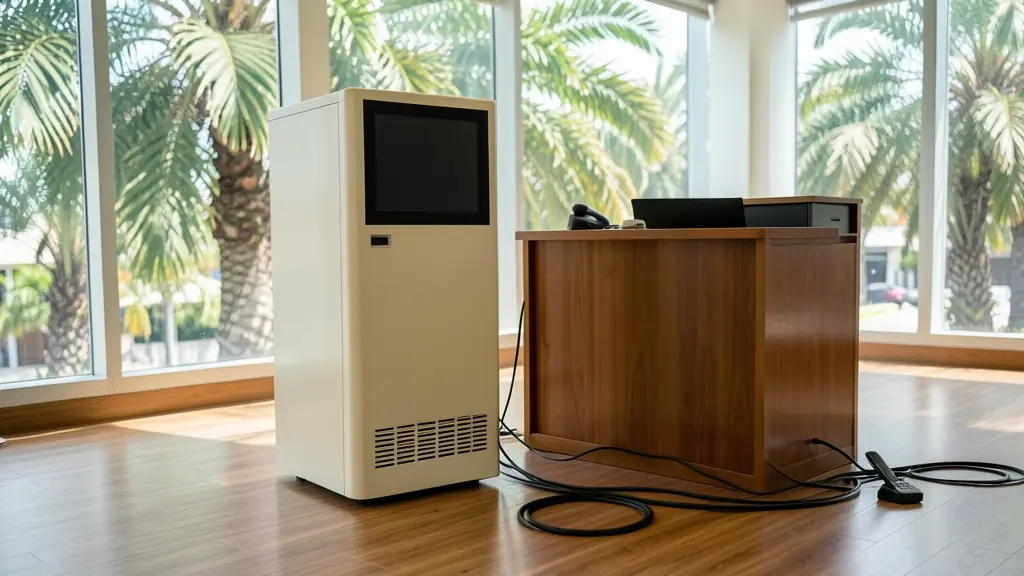
A UPS uninterrupted power supply keeps equipment running from a built-in battery the moment the mains fails, then hands back when the power returns. It is the box under the desk, behind the TV or at the bottom of a network cabinet. This page covers the three UPS types, why the VA figure is not the watt figure, how much runtime to expect, the sockets and output to look for, and when the batteries need replacing. Tell us what you want to protect and local UPS dealers will send free quotes, with no obligation to accept any.
Standby, line-interactive and online UPS
A standby (offline) UPS passes the mains straight through and switches to battery when the supply drops. It is the cheapest type and suits a single PC or a TV decoder. A line-interactive UPS adds a transformer that corrects low and high voltage without touching the battery, which helps where the supply sags or spikes, as it often does when power comes back after an outage. Most 650 VA to 3 kVA desktop and small office units are this type.
An online or double conversion UPS runs the load from its inverter all the time, so there is no switchover at all and the output stays clean whatever the mains does. It costs more, runs warmer and has a fan you will hear, but it is the usual choice for servers, lab instruments and sensitive machines.
VA versus watts, and how long it runs
UPS units are sold by VA, but the number to size by is watts, and the watt rating is usually lower than the VA figure. Add up the watts of everything that will be plugged in, then pick a unit whose watt rating sits comfortably above that total, not right at it.
Runtime depends on the load. A standard desktop UPS carries a full load for a few minutes, enough to save work and shut down; the same unit at a quarter of its load lasts much longer. If you want an hour or more, ask for a model that takes extended battery packs, or look at an inverter trolley or a portable power station, which carry far more battery for the money.
Sockets, output and form
- Socket type: many units have IEC (kettle cord) outlets rather than South African plug points, so check which cords come in the box or order the right ones.
- Output wave: pure sine output suits modern computer power supplies, sound gear and anything with a motor; cheaper units give a stepped wave on battery.
- Surge only sockets: some outlets are surge protected but not battery backed, meant for printers.
- Tower or rack: tower units stand on the floor; rack units are 19 inch and fit a server cabinet, often on rails.
- Ports: a USB or network port lets the UPS tell a computer to shut down.
Battery replacement and care
Most UPS units use sealed 12 V lead acid blocks, commonly 7 Ah or 9 Ah. They wear out with age and heat and need replacing every few years. A UPS that beeps, fails its self test or drops the load on a short outage usually needs new batteries rather than a new unit. Keep it in a cool, ventilated place, not in a closed cupboard or against a sunny wall. See UPS replacement batteries for sizes and swapping, and take the old blocks to a recycler instead of the bin.
What to include in your request
- A list of what will be plugged in, with watts
- How many minutes or hours of runtime you need
- Tower or 19 inch rack, and the socket type
- Whether you need shutdown software or a network card
- If it replaces an old UPS, its VA rating
UPS Systems for different clients
- Homeowners: a UPS behind the TV and decoder or under the study desk for the PC
- Complexes, estates and body corporates: a UPS for the guard hut intercom, access control unit and camera recorder
- Offices and home offices: line-interactive units at each desk and an online UPS for the server and switches
- Shops, restaurants and salons: a small UPS on each till, card machine and receipt printer so sales keep going
- Farms and smallholdings: a UPS for the farm office PC, router and the irrigation controller in the pump house
- Clinics, surgeries and care homes: online UPS units for reception PCs, practice servers and sensitive equipment the supplier approves
- Factories, warehouses, schools and churches: rack UPS units for data rooms, PLCs and control panels on the factory floor
- Electricians, installers and security companies: IT dealers and installers buying UPS units, battery packs and rack kits for client sites
Frequently asked questions
What size UPS do I need?
How much does a UPS cost in South Africa?
Can a UPS run my fridge or TV during load shedding?
Do you sell UPS units?
UPS Systems by province and city
- Johannesburg
- Pretoria
- Centurion
- Midrand
- Sandton
- Randburg
- Roodepoort
- Krugersdorp
- Randfontein
- Germiston
- Boksburg
- Benoni
- Kempton Park
- Alberton
- Vanderbijlpark
- Vereeniging
- Durban
- Pinetown
- Pietermaritzburg
- Richards Bay
- Newcastle
- Ladysmith
- Gqeberha (Port Elizabeth)
- East London
- Kariega (Uitenhage)
- Mthatha
- Cape Town
- Bellville
- Paarl
- Stellenbosch
- George
- Worcester
- eMalahleni (Witbank)
- Middelburg
- Secunda
- Mbombela (Nelspruit)
- Rustenburg
- Brits
- Klerksdorp
- Potchefstroom
- Mahikeng
- Polokwane
- Tzaneen
- Kimberley
- Upington
- Bloemfontein
- Welkom
- Sasolburg